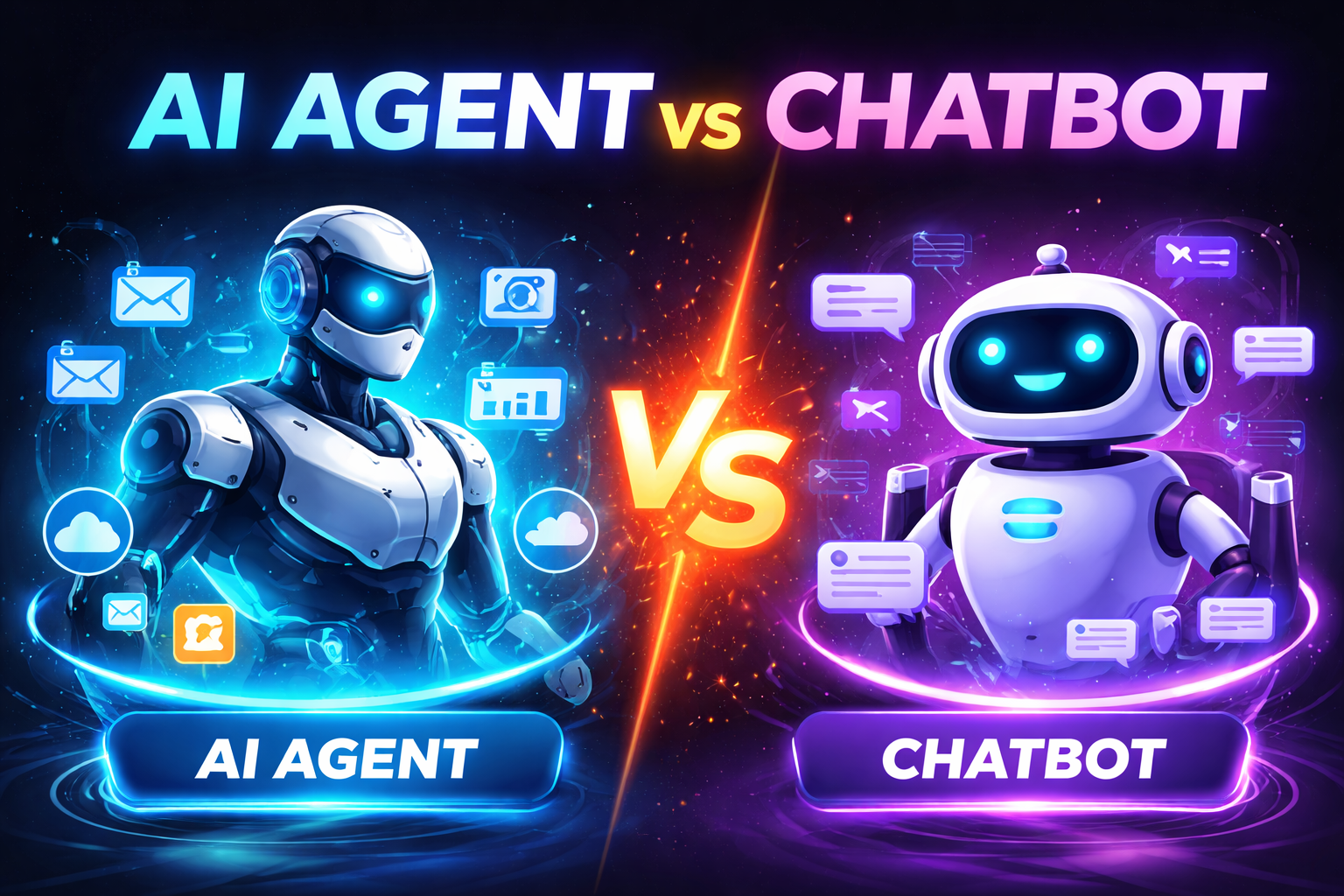
Learn the real difference between AI agent vs chatbot in 2026. See how agents plan, use tools, and verify work—plus when a chatbot is the better choice for speed, safety, and cost.
Why this comparison matters in 2026
“AI agent” is one of the most overused terms in automation right now. Many products that call themselves agents are still just chatbots with a couple of integrations. The difference is not semantic—it determines what can be automated, how reliable it will be, and how much governance you need.
If you’re choosing tooling for operations, marketing, support, teaching, or internal productivity, you need a clear answer to one question:
Definitions: AI chatbot vs AI agent
What is a chatbot?
A chatbot is an AI interface optimized for conversation. It is strongest at:
- answering questions
- explaining concepts
- drafting or rewriting text
- brainstorming and ideation
- summarizing content you provide
A chatbot can be enhanced with retrieval (searching docs) or light integrations, but it typically does not run an end-to-end workflow on its own.
What is an AI agent?
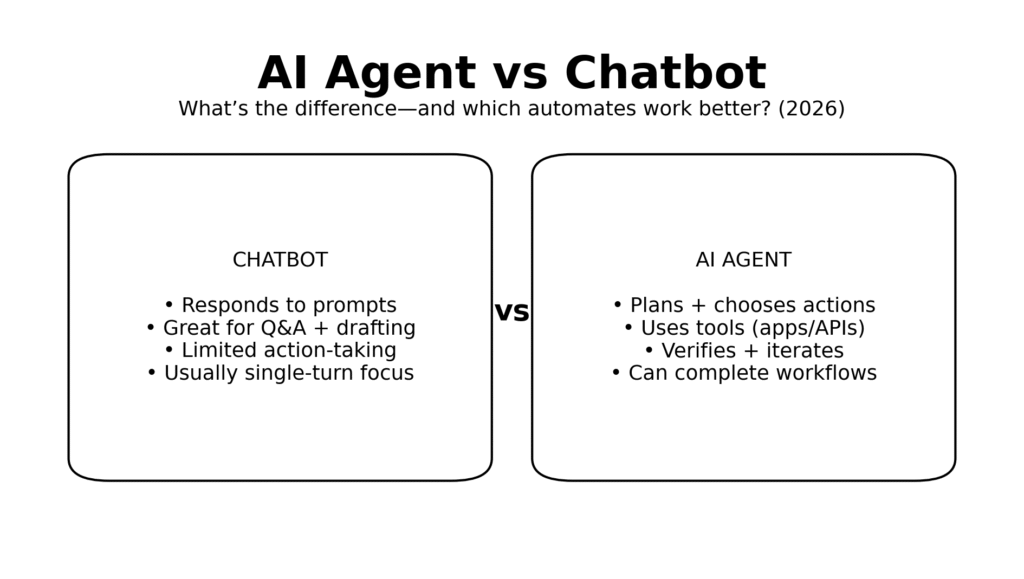
An AI agent is a system designed to achieve an outcome, not just produce text. It commonly includes:
- a reasoning model (the “brain”)
- tools (APIs, integrations, scripts)
- a loop to plan, act, and verify
- guardrails (permissions, approvals, logs)
In practice, an agent is closer to an “AI operator” that can move work forward across systems.
The core difference: single-turn response vs multi-step execution
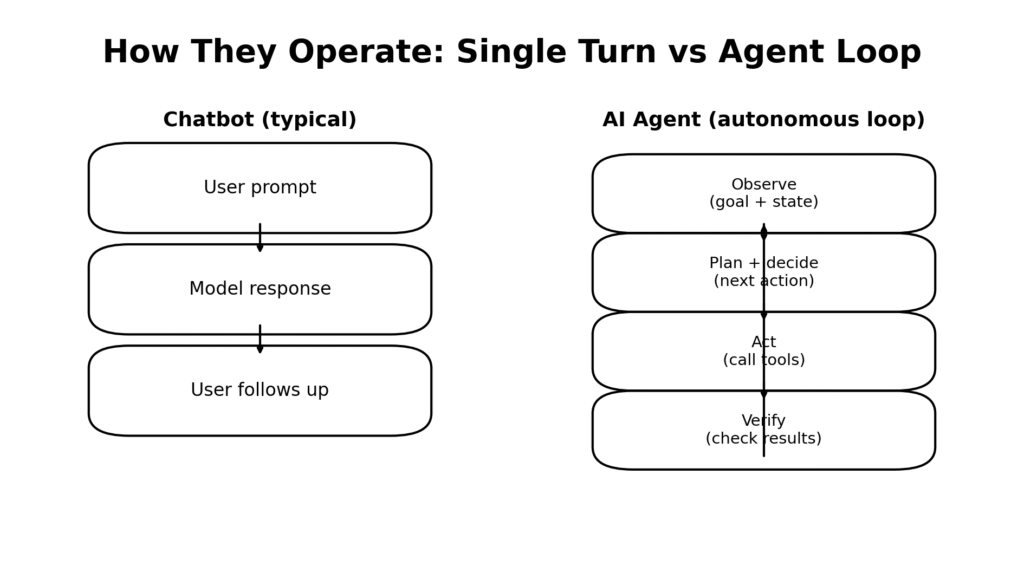
Most of what people feel as “agentic” comes down to a loop:
- Chatbots: prompt → response → user prompts again
- Agents: observe → plan → act → verify → repeat until done
This loop is the reason agents can automate work rather than just assist with it.
What each is best at
Chatbots excel at “language work”
Chatbots are ideal when the work is primarily
- reading, writing, summarizing, translating
- generating options (subject lines, outlines, lesson plan variants)
- coaching (practice questions, explanations, feedback)
- producing drafts that a human finalizes
They are typically:
- faster to deploy
- lower risk
- cheaper to run
- easier to govern
Agents excel at “workflow work”
Agents shine when the work requires:
- multiple steps across apps (email + calendar + CRM + docs)
- choosing actions based on state (“if not scheduled, propose times”)
- verifying outputs (“did the record update?”)
- escalating when uncertain
They are typically:
- higher leverage
- more complex
- more governance-heavy (approvals, permissions, auditing)
Side-by-side: AI agent vs chatbot comparison (2026)
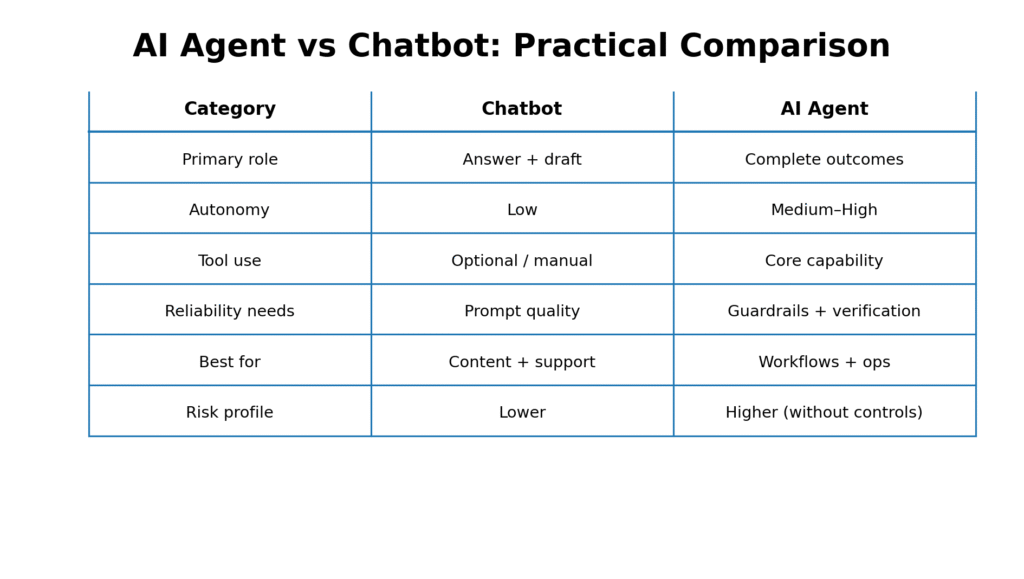
Use this as a quick decision reference.
Interpreting the table
A simple rule holds in most organizations:
- If success is “a great draft,” choose a chatbot.
- If success is “the task is completed,” choose an agent—but only with guardrails.
Which one automates work better?
If your definition of automation is reducing manual steps to near zero, the answer is:
AI agents automate work better—because they can take actions and iterate.
However, “better” depends on the environment. Agents are only superior when:
- The goal is measurable (you can define “done”)
- Tools are reliable (APIs, permissions, predictable outputs)
- Verification is built in (checks, audits, confidence thresholds)
- Risk is managed (approval gates for irreversible actions)
If those conditions are not met, a chatbot plus basic automation often outperforms an agent on cost, speed, and correctness.
Real-world examples: when each wins
Scenario A: Marketing content pipeline
Goal: Generate 5 social posts from a blog draft.
- Chatbot wins if: you want strong copy and will post manually.
- Agent wins if: you want the system to also format assets, schedule drafts, create UTM links, and open tasks for approvals.
Best pattern: Chatbot for ideation + agent for scheduling and workflow execution.
Scenario B: Customer support responses
Goal: Reply to common tickets accurately.
- Chatbot wins if: the agent cannot safely access customer data or policies reliably.
- Agent wins if: tickets are categorized, policies are centralized, and the agent can verify the correct macro/steps before drafting.
Best pattern: Agent drafts + verifies + routes; human approves for edge cases.
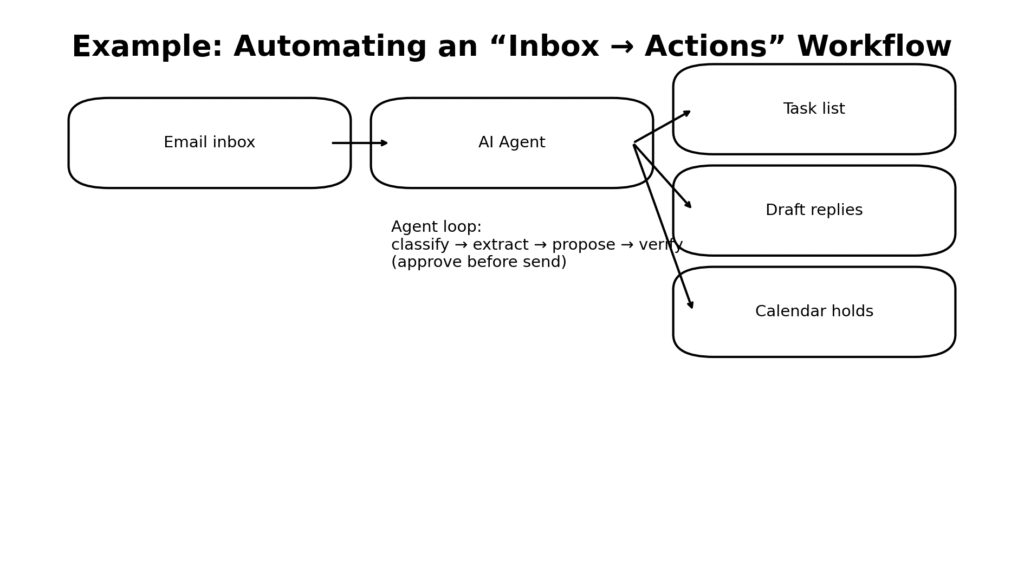
Scenario C: Operations “inbox → actions”
Goal: Turn email into tasks, drafts, and calendar holds.
This is classic agent territory because it requires:
- classification
- extraction
- tool use (tasks/calendar)
- verification and review
Scenario D: “AI for teachers”
Goal: Reduce lesson planning and admin work.
- Chatbot wins for: lesson plan drafts, rubric options, rephrasing instructions, parent email drafts.
- Agent wins for: turning plans into templates, generating differentiated materials, organizing weekly schedule artifacts, and producing ready-to-print packets—with teacher review.
Best pattern: Chatbot generates variants; agent packages and organizes outputs into your system.
The hidden cost: autonomy increases governance requirements
Organizations often buy “agent” products expecting easy automation, then hit friction in three places:
1) Permissions and access control
Agents need access to systems to execute tasks. Without role-based controls, you risk:
- overreach (editing the wrong record)
- data exposure
- changes you can’t audit
2) Verification and correctness
Agents can be wrong in subtle ways:
- updating the wrong contact
- misclassifying intent
- missing one step in a workflow
Reliability comes from verification, not confidence.
3) Observability (logs and traceability)
If you cannot answer:
- “What did it change?”
- “Why did it choose that action?”
- “What sources did it use?”
- you do not have a production system—you have a demo
A practical decision framework: choose chatbot, agent, or hybrid
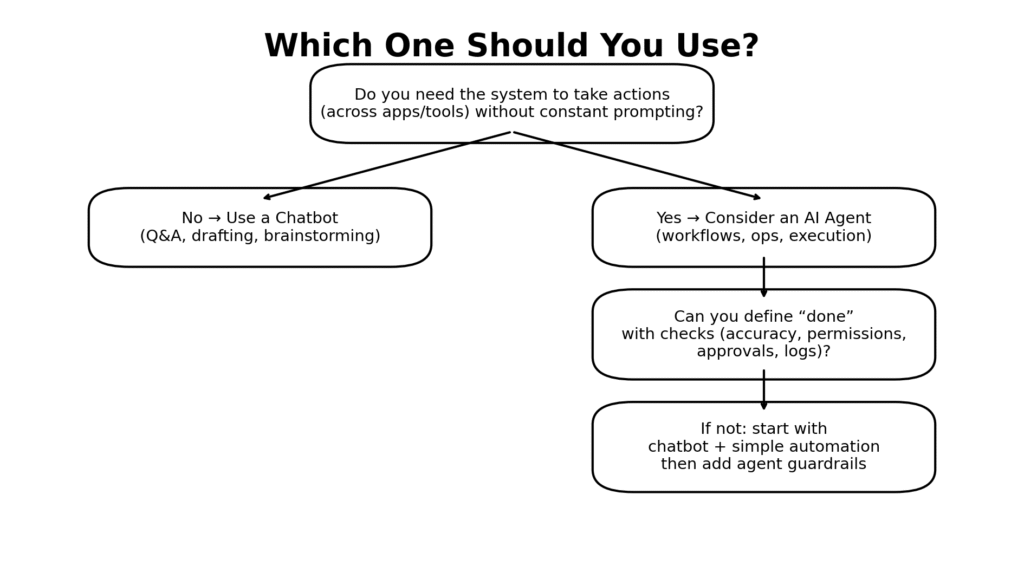
Most teams should not start with full autonomy. They should start with a controlled progression.
Choose a chatbot when:
- the output is a draft or explanation
- you can tolerate occasional inaccuracies because a human reviews
- there are no critical tool actions needed
- speed and simplicity matter more than automation
Choose an agent when:
- the task has clear inputs and “done” criteria
- actions are reversible or gated by approvals
- tool access is properly controlled
- you can verify outcomes automatically
Choose a hybrid when:
- parts of the workflow are deterministic (automations)
- parts require judgment (AI)
- content quality matters (chatbot strength)
- execution across tools matters (agent strength)
Hybrid is often the best production architecture.
How to implement safely: a minimal “agent readiness” checklist
Before deploying an agent to automate work, ensure you have:
- Definition of done: What must be true for the task to be complete?
- Allowed tools list: Which systems can the agent call, and with what permissions?
- Approval gates: Require human approval for: send/publish/delete/pay/permission changes.
- Verification steps: Add checks like: “confirm record updated,” “confirm link resolves,” “confirm totals match.”
- Fallback path: When uncertain: ask a question, escalate, or produce a draft instead of acting.
- Logging: Store tool calls and outcomes for audit and debugging.
Author